
Go to Mac platform Display platforms icon
Go to Mac platform Go to Windows platform Go to Android platform
The Unarchiver icon

The Unarchiver

4.3.9
Dev Onboard
5 1 reviews
212.6 k downloads
security security

Unzip virtually all file formats

Advertisement
Remove ads and more with Turbo
Advertisement
Remove ads and more with Turbo
Merche Contreras icon
Reviewed by
Merche Contreras
Content Editor
Merche Contreras is part of Uptodown's in-house Editorial Team. Translated by Uptodown Localization Team

The Unarchiver is one of the most comprehensive, efficient, and lightweight tools out there for unzipping and managing compressed files on macOS. This software is the perfect alternative to the system's native decompressor, as it allows you to open practically any file format, from the most common ones, such as ZIP and RAR, to the oldest or most specific ones, such as LZH, ARJ, and StuffIt. It offers maximum compatibility, speed, and simplicity by combining great performance with full macOS integration. If you work with compressed files regularly and want a one-stop solution, The Unarchiver is the tool for you.

Open almost any compressed file

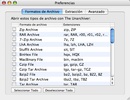
The main strength of The Unarchiver is its extensive support for compression and file formats, far exceeding the limitations of the native macOS tool. It's capable of handling ZIP, RAR (including password-protected files), 7z, TAR, GZIP, BZIP2, ISO, BIN, CAB, LZH, ARJ, EXE, RPM, and many more, covering virtually all modern and older compression standards. It doesn't matter what type of files you're working with; The Unarchiver will open and compress anything. You'll never have to worry again.

Advertisement
Remove ads and more with Turbo

Minimalistic interface and full integration

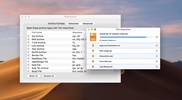
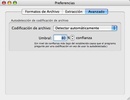
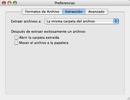
The Unarchiver stands out for its minimalist design and its integration with the operating system, which offers a fluid and natural experience. You won't have to open a separate app or navigate complicated menus: just double-click on the file and it will be automatically extracted to the folder you select. It also integrates directly with Finder, allowing you to set custom destination folders or decide whether to open extracted files automatically.

Support for password-protected files

The tool can also open password-protected files securely, maintaining compatibility with the most common encryption standards. Opening it won't change the format, so you can access it without causing any changes. When a protected file is detected, it will ask for the password so you can access it. If you're working with sensitive or private documents, then you don't need to worry; The Unarchiver won't compromise them.

The Unarchiver is, in short, the universal solution to all your file zipping and unzipping problems. Download The Unarchiver for free and work with your documents regardless of their file type.

Information about The Unarchiver 4.3.9

Basic information

Developer MacPaw
License GNU
Category Compressors
Rating Not specified
Languages English
2 more

Security and privacy

Required permissions Not applicable
Advertising Not specified
See security and antivirus report
Why is this app published on Uptodown? (More information)

Download info

Downloads 212,551
Date Nov 6, 2025
File type ZIP
Size 22.85 MB
SHA256 d0d8dd2e028519ece5eeb0f018b3392f67e1c85053472ccbbaee64e87f173a28

Technical details

Package Name the-unarchiver
Advertisement
Remove ads and more with Turbo

Older versions

See more
dmg 4.3.8 May 29, 2024
dmg 4.3.6 Dec 26, 2023
dmg 4.3.5 Sep 15, 2023
dmg 4.2.2 Jun 22, 2020
dmg 4.2.1 Apr 22, 2020
zip 4.2.1 Apr 15, 2020

Rate this App

Review the app
The Unarchiver icon

Rating

5.0
5
4
3
2
1
1 reviews

Comments

There are no opinions about The Unarchiver yet. Be the first! Comment

Advertisement
Remove ads and more with Turbo
WinRAR icon
An ideal app for managing ZIP or RAR files
7-Zip icon
Lightweight and efficient file compressor
WinZip icon
One of the most popular and powerful compressors
RAR icon
RAR
Compress and decompress RAR files from Terminal
Keka icon
Free file compression for Mac
iZip icon
Easily compress and extract files
Shutter Encoder icon
Paul Pacifico
Stuffit Expander icon
The ultimate decompressor for Mac
balenaEtcher icon
Create self-booting external disks on Mac
Android File Transfer icon
Transfer files from an Android device to Mac
3uTools icon
Manage your iOS devices
ChatGPT icon
The official app of OpenAI's popular chatbot for Mac
OpenCore Legacy Patcher icon
Install recent versions of macOS on your old Mac
Logi Options+ icon
Conveniently manage your Logitech peripherals
WinRAR icon
An ideal app for managing ZIP or RAR files
Parallels Desktop icon
Perfect Virtualization of Windows operating systems